Some links on this page are affiliate links. If you sign up through one, we may earn a commission at no extra cost to you. It never changes our verdict. Details.
A systeme.io landing page takes about an hour the first time and twenty minutes after that. The page lives inside a funnel, which is the part that confuses newcomers: you create a funnel, and the landing page is its first step. That structure is the reason the form, the delivery email, and the follow-up sequence connect without any wiring.
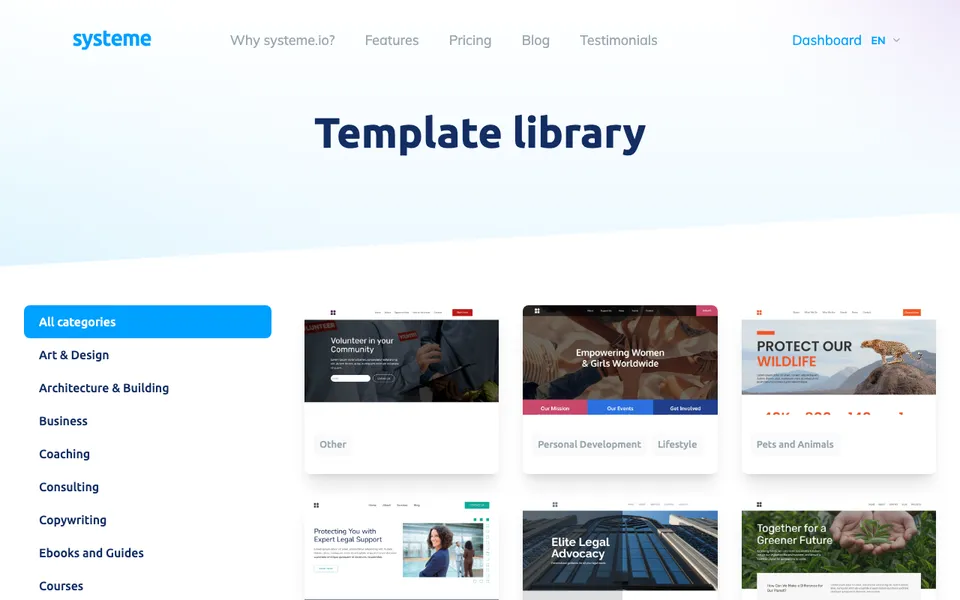
Pick a template
From the dashboard, create a funnel, choose “build an audience” as the goal, and name it after the thing you are offering. systeme.io then asks for a template for the opt-in page. The templates are generic business designs rather than niche-specific, so choose on layout rather than on styling: a single column with one form converts better than anything clever.
Edit the sections
The editor works in blocks. Click any element to change its text, drag blocks to reorder, and delete the ones you do not need, which on most templates is most of them. A landing page that converts has four elements: a headline naming who it is for and what they get, two or three lines of detail, the form, and one image or nothing. Delete the testimonial grid, the feature icons, and the pricing table that came with the template.
Set the mobile view before you finish. The editor has a phone preview, and roughly half your traffic will use it.
Connect the form and tag
Click the form, set the fields to name and email or just email, and choose what happens on submission: usually go to the next step in the funnel. Then add a tag on submission, something like “opted in, seven day plan”. That tag is what your automation rule listens for when it sends the delivery email and starts the sequence.
Publish on your domain
The free plan includes one custom domain. Add it in settings, point a CNAME record at systeme.io from your registrar, and assign the funnel to the domain with a path. Until DNS propagates the page works on the systeme.io subdomain, so you can test immediately.
Examples worth copying
The coaching landing page examples page breaks down four structures section by section. For the funnel that goes around this page, the systeme.io sales funnel guide covers the next three steps.
Free plan limits
Three funnels and fifteen steps in total across them, one custom domain, one automation rule, and one email campaign. That is enough for one complete opt-in page with a delivery email and a sequence, plus two more funnels to test variations.
Free plan, no card. Affiliate link; we earn a commission on paid plans.
Frequently asked questions
Can I build a landing page on systeme.io for free?
Yes. The free plan allows three funnels with fifteen steps in total, on one custom domain.
Does systeme.io have landing page templates?
Yes, a free template library built into the funnel creation flow, plus a public library you can browse.
Can I use my own domain for a systeme.io landing page?
Yes. One custom domain is included on the free plan; you point a CNAME record at systeme.io.
How long does it take to build a landing page?
About an hour the first time, twenty minutes once you know the editor.
Related: systeme.io sales funnel, systeme.io templates, systeme.io examples.